G-Code for Mac · in private development
G-Code for Mac You decide what it may run
For projects that outgrow the iPad: a coding agent for macOS. It plans, writes, runs and checks code in your project folder, with a model on your Mac or on your own API key, and asks before anything you haven't cleared.
01 / Control
Five modes your deny rules hold in all five
In Manual, Accept edits and Auto, a command you haven't cleared waits for your answer. Plan only reads. A call that stops is marked one of three ways.
- 01
Manual
Ask before edits and commands that need approval. Reads outside this project and fetches from new web hosts also ask.
- 02
Plan
Read-only exploration. File changes and shell commands are blocked. Leaving Plan requires approval.
- 03
Accept edits
Allow file edits inside this project. Shell commands and outside-project changes still ask.
- 04
Auto
Allow project edits and a small set of inspection commands. Unknown commands and external tools still ask.
- 05
Bypass
Skip permission prompts. Explicit deny rules and tool safety checks still apply.
- 06
Your rules
Allow and deny rules per project or everywhere, in Settings → Permissions or with
--allowand--deny.
- DeniedYou, or one of your rules, said no.
Not runThe call never started: invalid input, a binary file, a blocked repeat, or cut off by the output limit.- FailedIt ran and returned an error.
02 / Models
Your Mac's model or your own key
Keys stay in ~/.gcode on your Mac. There's no G-Code account and no G-Code server.
- 01
Local GGUF
Pick a .gguf file and G-Code starts its own llama.cpp server on Metal, listening on this Mac only. No Ollama and no cloud key. It asks for 262,144 tokens of context and steps down until the model fits in 75% of your memory.
- 02
Ollama
Choose from the models your Ollama server has installed. G-Code never swaps in a different one.
- 03
Five cloud providers
Claude, GPT, Gemini, DeepSeek and Qwen, each with its own saved key or environment variable, and its own model choice. Images go to the models that can see them.
- 04
Guillotine Mode
For local models: a call to the network you didn't approve cuts off the whole tool chain and leaves read-only evidence for you to judge.
On a large local model the first prompt carries G-Code's tool context and takes a while to prepare: 5,492 tokens took about 54 seconds on the test Mac. Guillotine Mode was last tested on 8 November, on the installed build with Qwen3.8-27B.
03 / Long jobs
Long jobs get handed on not dropped
What happens when a turn runs for an hour.
- 01
At 85% of the window
G-Code asks: hand off to a fresh session, compact, or stop. A handoff writes its notes to .gcode/handoffs and carries on there, starting with a rule to read every line first.
- 02
Reads before it goes
If tool results arrived that the model hasn't read, it gets one more reply to note what they show before it hands off.
- 03
Progress check
Sessions that hand off without changing a file or finishing a task are counted. From the third, the stuck step goes to sub-agents.
- 04
Still thinking (35s)
Twenty seconds without output and the status line says so, every 15 seconds, until something arrives.
- 05
Sub-agents
Up to 100 replies and 400 tool calls each, side by side. One that hits a limit hands back what it finished.
- 06
Background tasks
Servers and watchers run in Tasks with their output and a Stop button, and end with the session. Keep awake holds off sleep while it works.
04 / The kit
Everything it touched beside the chat
Panels to the right of the conversation, and the rest of the kit.
- 01
Changes
A before-and-after diff of every file the session changed, unified or split, Bash edits, deletions and renames included.
- 02
Browser checks
BrowserPlan and BrowserVerify drive a real Chromium through your pages: steps, assertions, console errors and screenshots.
- 03
Terminal
Your login shell in the project folder, one tab per shell, on a real PTY.
- 04
Files and outputs
The project tree, and versioned outputs you can open or show in Finder.
- 05
Node, npm, npx
Bundled, for a Mac that has none.
- 06
MCP servers
Add tools in Tools & MCP.
- 07
Headless
gcode -pprints NDJSON; exit codes for refusals, budgets and signals. - 08
Session budget
Optional: a limit with a handoff at the reserve, then another model or more budget.
05 / Built with it
Four pages built on the Mac
A fictional coffee estate's site, AI-built* in G-Code for Mac for $16.16.

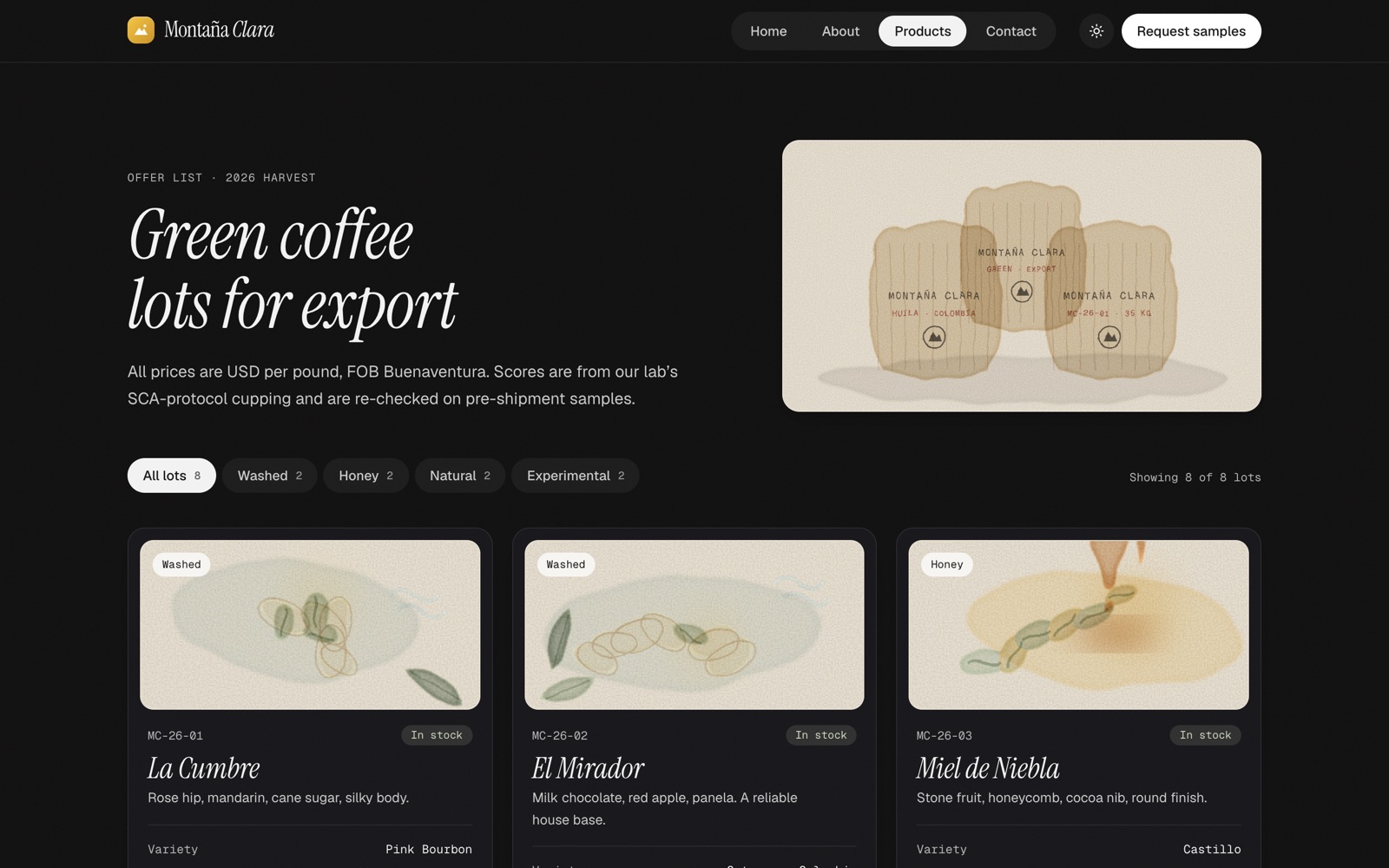

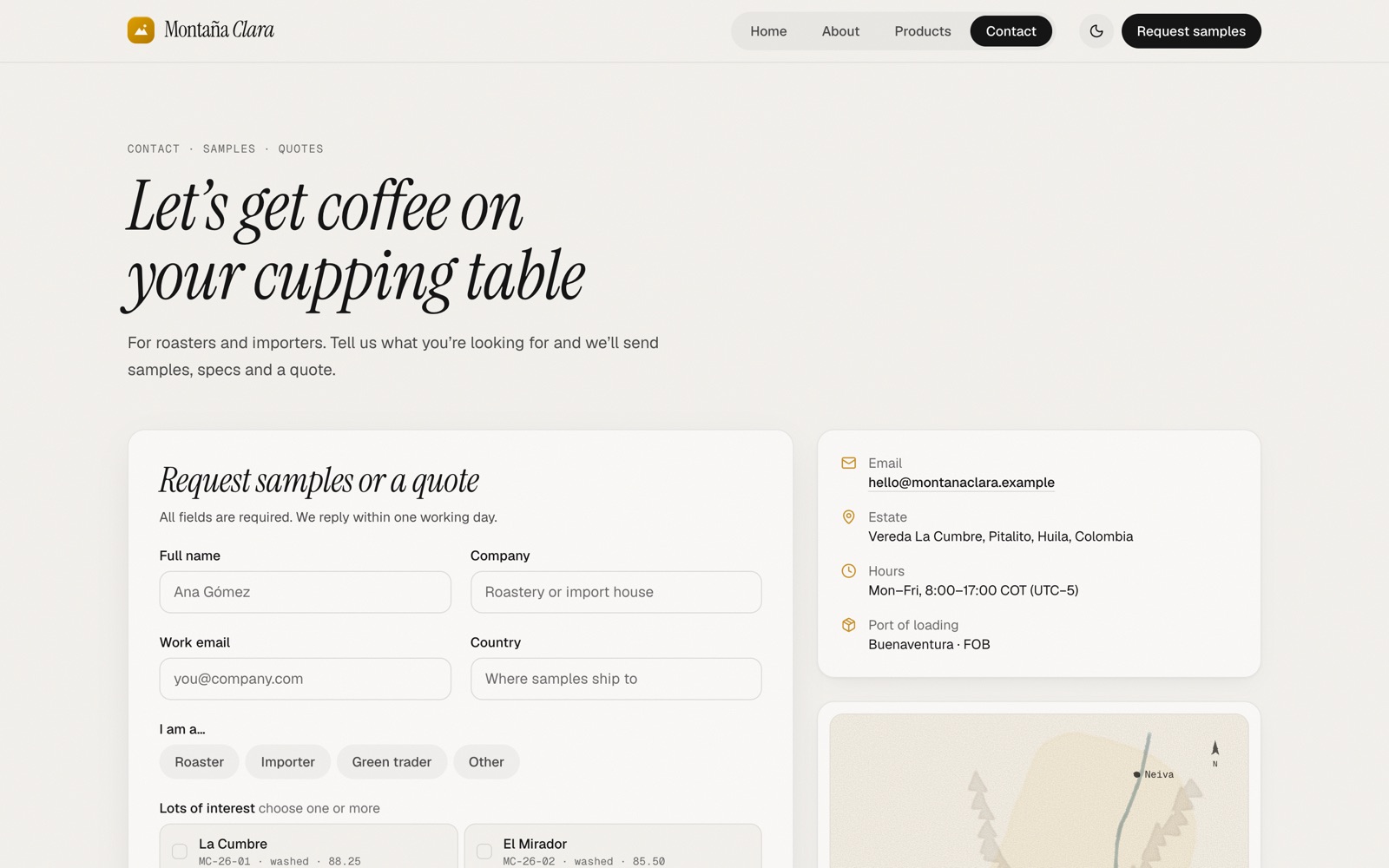
* Built with the Claude API, Claude Opus 5.5 at High effort, on 25 October. The estate, its people and its figures were invented by the model. Three of its six turns failed, and G-Code had no prompt caching then; with it, the same requests come to an estimated $4.10. What went wrong, and what was fixed
Tested in the open
The last gate ran 58 scenarios in one run on the installed build, and all 58 passed. Eighteen of the thirty-five gate runs so far failed. Every run is on the results page.
Scenarios run with Claude Haiku 5.5, and OpenAI GPT-6.1 terra in round 10b; each reviewed by Claude Opus 5.5 at High effort, except round 16's, which six separate sub-agents under Codex reviewed. "Passed" means no defect in G-Code: in three of the final 58 the model didn't finish the task, and the results page marks them.
In private development
macOS 15 or later on Apple silicon. Not for sale or download yet.
Version 0.1.0. Developer builds are ad-hoc signed and not notarized. G-Code for Mac is a separate app from G-Code Lite for iPad.